
Introduction
Microsoft PowerPoint is a presentation software application used to create and display information through slides. It is widely used in schools, colleges, offices, and businesses to present ideas clearly and effectively. PowerPoint provides several features that help users combine text, images, graphics, and multimedia in an organized presentation.
Three Important Features of PowerPoint
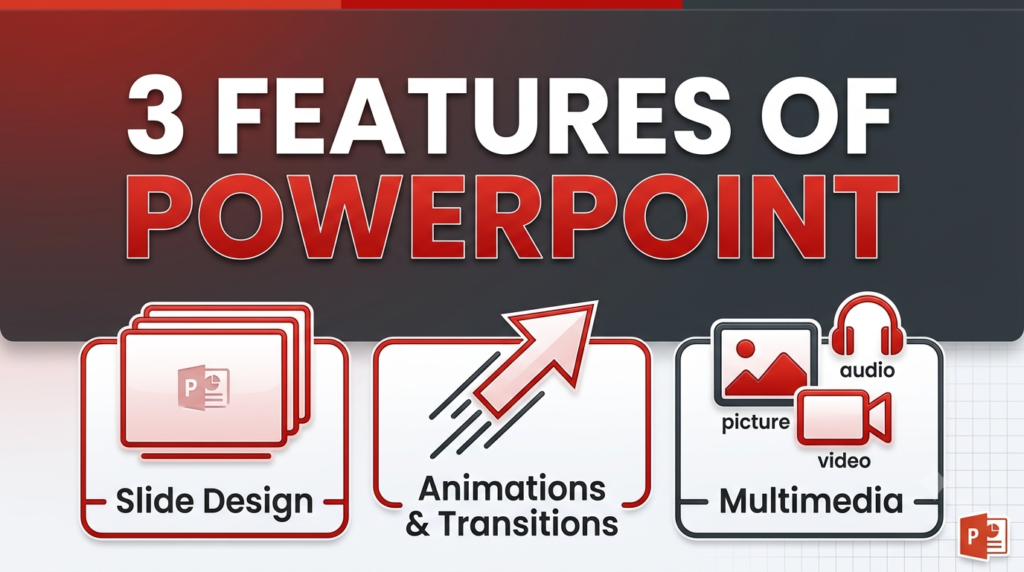
1. Slide Creation and Design
PowerPoint allows users to create presentations using individual slides. Users can add text, pictures, tables, charts, and shapes to slides. They can also apply themes, backgrounds, and layouts to make the presentation attractive and consistent.
Example: Creating a title slide followed by slides containing lesson notes and diagrams.
2. Animations and Transitions
PowerPoint provides animation effects for objects such as text, pictures, and shapes. Transitions are visual effects that appear when moving from one slide to another. These features help present information step by step and make a slideshow more engaging.

Example: Making bullet points appear one at a time and applying a Fade transition between slides.
3. Multimedia Integration
PowerPoint allows users to insert multimedia elements, including pictures, audio, and video, into presentations. These elements help explain concepts more clearly and make presentations more informative.
Example: Adding a demonstration video or recorded narration to a presentation.
Conclusion
Slide creation and design, animations and transitions, and multimedia integration are three important features of Microsoft PowerPoint. They help users prepare clear, attractive, and effective presentations.