Lenovo ThinkBook 16:
Powerful enough for serious work, practical enough for everyday life, and packed with features that matter more than flashy marketing. The Lenovo ThinkBook 16 could be the laptop that deserves far more attention than it gets.
In today’s laptop market, popularity often comes down to a few familiar names. Premium ultrabooks dominate conversations, gaming laptops attract attention with their aggressive designs, and flagship devices compete over performance benchmarks and AI features.
But somewhere between all the hype and the marketing campaigns sits a laptop that deserves a closer look: the Lenovo ThinkBook 16.

It may not be the first laptop that comes to mind when someone asks for the best laptop of the year. It may not have the same status appeal as a MacBook or the gaming credentials of a ROG or Legion machine. Yet for students, professionals, entrepreneurs, and multitaskers, the ThinkBook 16 makes a compelling case for being one of the most underrated productivity laptops of 2026.
And the reason is simple: it focuses on what people actually need from a laptop.
1. A Big Screen That Makes a Real Difference
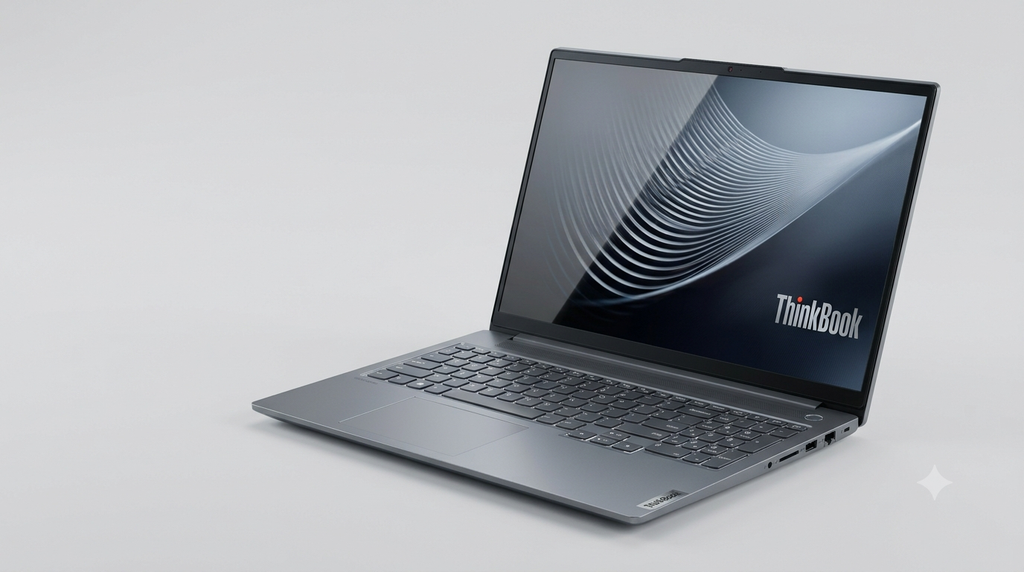
One of the biggest advantages of the ThinkBook 16 is right there in its name: the 16-inch display.
A larger screen is more than a specification on a product page. It changes how you work.
Imagine writing an assignment while researching online, editing a spreadsheet without constantly scrolling sideways, or attending a video meeting while keeping your notes visible. A 16-inch screen gives you more room to arrange your work comfortably.
For students, it means reading documents and taking notes with fewer compromises. For office professionals, it provides more space for spreadsheets, presentations, and multiple applications. For content creators, it offers a larger workspace for timelines, editing tools, and reference material.
Depending on the configuration, Lenovo offers ThinkBook 16 models with different display resolutions and panel specifications. Some versions of the wider ThinkBook 16 family have offered higher-resolution 2.5K displays, while other configurations prioritize affordability.
That distinction matters, but the core advantage remains: a large productivity-focused display without automatically moving into expensive premium-laptop territory.
2. Performance That Prioritizes Getting Things Done
Not everyone needs a laptop capable of running demanding AAA games or rendering complex 3D scenes. Millions of people simply need a machine that handles their workload reliably.
The ThinkBook 16 targets that audience.
Current-generation configurations include AMD Ryzen 200 Series processors, while Intel-powered variants are also available in the ThinkBook 16 Gen 9 family. Depending on the model, users can choose hardware suited to everyday productivity, multitasking, business applications, research, programming, and more demanding professional workloads.
Pair a suitable processor with sufficient RAM and an SSD, and you have the foundation for a responsive everyday computing experience.
Multiple browser tabs, Office applications, online meetings, PDFs, coding environments, and background applications are all part of a typical modern workflow. A sensibly configured ThinkBook 16 is designed around precisely these kinds of tasks.
The important point is not that the ThinkBook 16 is the fastest laptop in every category. It isn’t. Rather, it offers a practical performance proposition for people who need productivity first and extreme graphics performance last.
That is a far more relevant selling point for many buyers than a flashy benchmark score they may never benefit from.
3. The Connectivity That Other Laptops Keep Sacrificing
Here is where the ThinkBook 16 becomes particularly interesting.
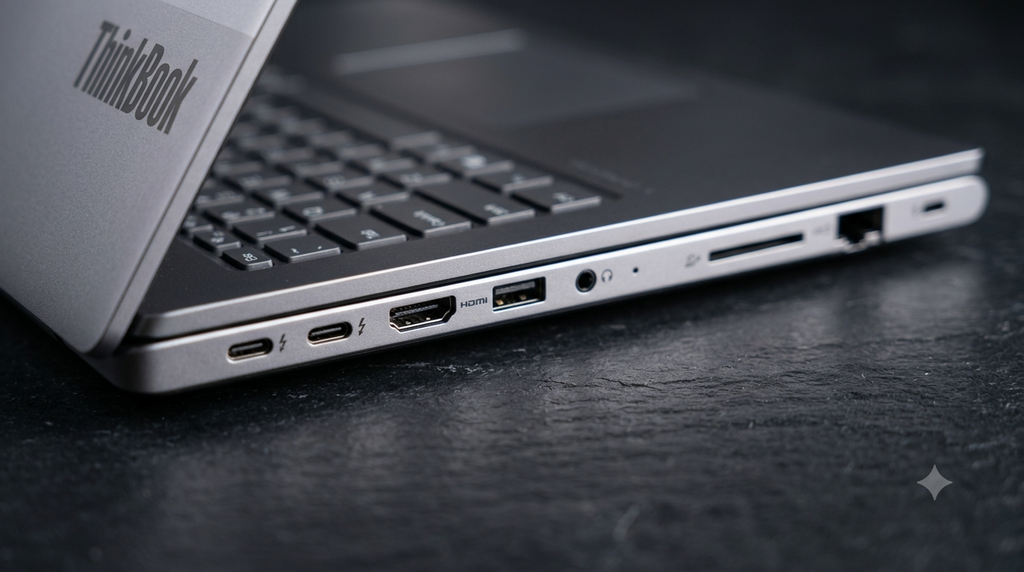
Modern slim laptops increasingly rely on adapters and docking stations. Need to connect a wired network, use a USB accessory, plug into an external monitor, or transfer files from an SD card? Depending on the laptop, you may need additional hardware.
The ThinkBook 16 Gen 9 AMD configuration offers a notably practical selection of connections, including USB-C with USB4 support, USB-A ports, HDMI 2.1, an SD card reader, and an Ethernet port. Exact ports and capabilities can vary by configuration.
For professionals, this can mean fewer accessories to carry. For students, it makes connecting peripherals easier. For photographers and office workers, built-in card reading and wired connectivity can simplify everyday tasks.
These features may not look impressive in a promotional video, but they can make a genuine difference over years of use.
A laptop should make your workflow simpler, not force you to buy a collection of adapters just to connect your existing equipment.
The ThinkBook 16 understands that.
4. Upgradeability: A Feature Worth Bringing Back
One of the most overlooked aspects of buying a laptop is how well it can adapt to changing needs.
A laptop that works well today may struggle with tomorrow’s workload if its memory or storage cannot be expanded. That is why upgradeability remains valuable, particularly for people who expect to keep their devices for several years.
Lenovo’s ThinkBook 16 Gen 9 AMD platform supports configurations with up to 64GB of DDR5 memory and up to 4TB of SSD storage across two drive slots, depending on the specific model and regional configuration.
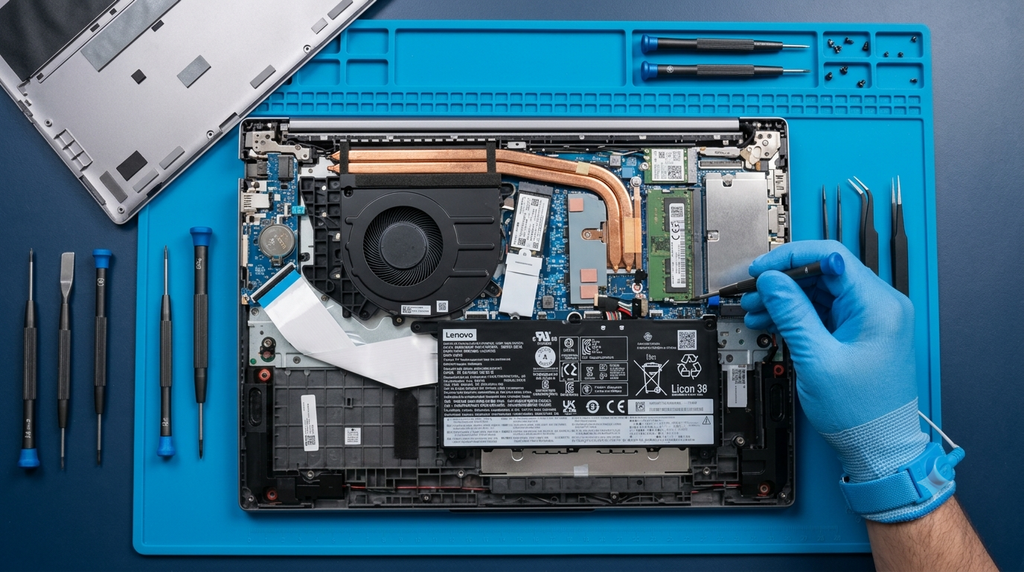
Those maximum specifications do not mean every retail version includes that capacity. They do, however, demonstrate the platform’s potential for expansion.
The practical benefit is flexibility. Someone might begin with a reasonably priced configuration and later increase storage or memory, provided the particular model supports the upgrade.
That can be more appealing than paying a substantial premium upfront for a higher-specification laptop.
For buyers who value long-term usefulness, this is an important reason to consider the ThinkBook 16.
5. A Professional Laptop Without the Premium-Device Attitude
Not every laptop needs to make a fashion statement.
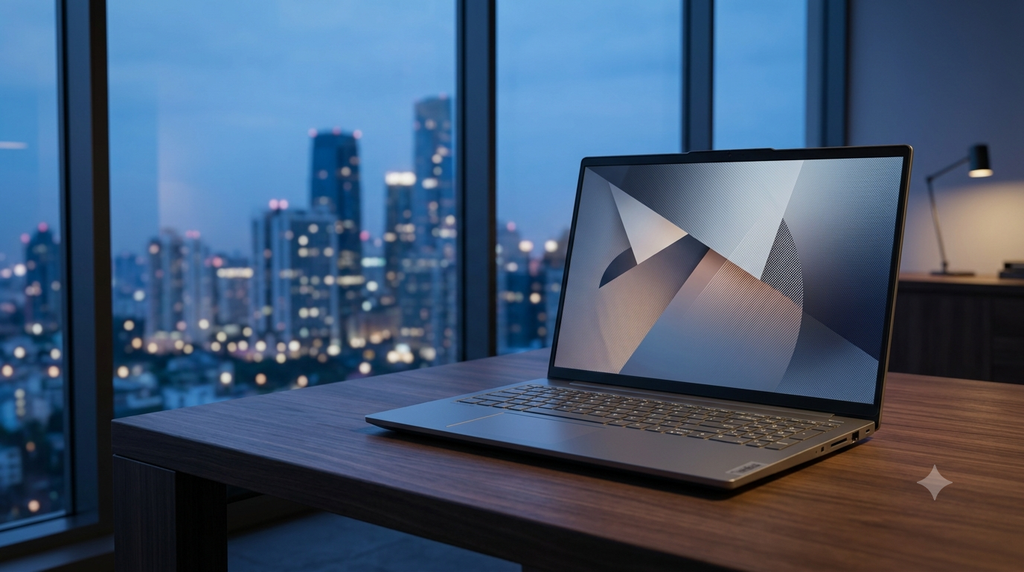
The ThinkBook 16 takes a more restrained approach, with a professional design suited to offices, classrooms, meetings, and home workspaces.
It sits in an interesting position within Lenovo’s lineup. ThinkPad systems are strongly associated with business computing, while IdeaPad models cover a broad consumer audience. ThinkBook aims to combine a work-oriented feature set with a more contemporary, mainstream laptop experience.
That makes it appealing to someone who wants a professional-looking machine without necessarily buying into the most expensive business-laptop category.
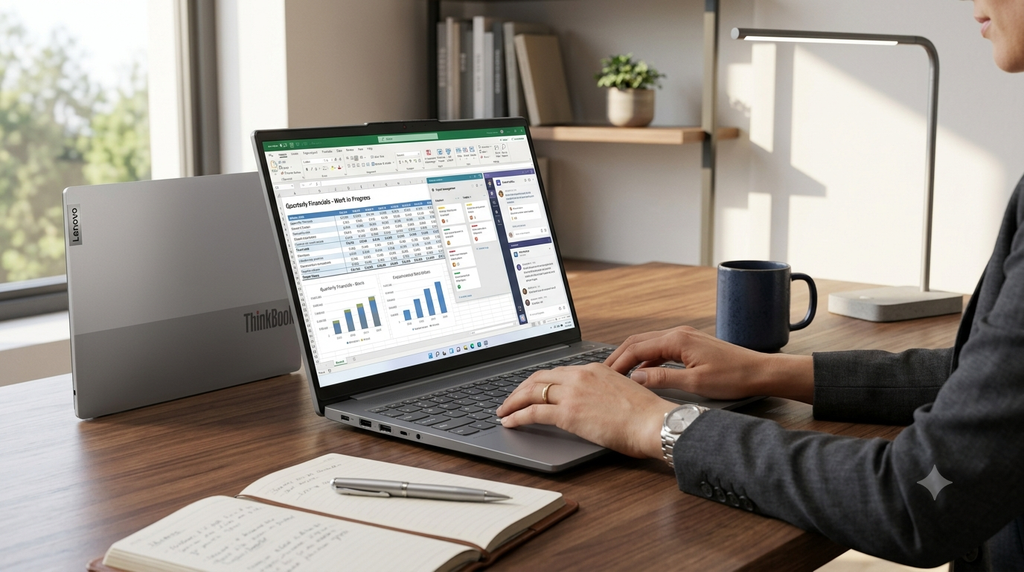
Whether you’re a university student preparing presentations, a freelancer managing client projects, a small-business owner handling accounts, or an employee working with large documents, the ThinkBook 16 can fit naturally into your routine.
It doesn’t need dramatic styling to make its case. Its appeal comes from being a practical tool.
6. A Strong Choice for Work, Study, and Everyday Multitasking
The strongest argument for the ThinkBook 16 is its versatility.
A well-configured model can serve several roles without being designed exclusively for any one of them.
- For students: A spacious display, a numeric keypad, and suitable processor and memory options make it useful for research, assignments, coding, and productivity applications.
- For working professionals: Its connectivity, large-screen workspace, and business-oriented features support spreadsheets, presentations, documentation, and online meetings.
- For programmers and analysts: Expandable memory and storage options can be valuable for development environments, data work, and multitasking.
- For freelancers and entrepreneurs: It offers a practical combination of screen space, performance, and connectivity for daily business operations.
- For everyday users: It can serve as a capable primary computer for browsing, communication, entertainment, and general productivity.

Of course, suitability depends on the exact configuration and workload. Integrated graphics are not a substitute for a powerful dedicated GPU, and buyers working with demanding video effects, complex 3D projects, or modern AAA games should evaluate their specific requirements carefully.
But for the large group of people whose laptops spend most of their time running productivity software, the ThinkBook 16 deserves to be on the shortlist.
7. The Catch: Choosing the Right Configuration Is Essential
A convincing recommendation should acknowledge the compromises.
The ThinkBook 16 is not automatically the best laptop for everyone, and the model name alone does not tell the complete story.
First, display quality varies. A configuration with a standard WUXGA panel and modest color coverage may be perfectly adequate for office work but less suitable for professional color grading or color-critical design. If visual quality is important, check the exact resolution, brightness, refresh rate, and color gamut before buying.
Second, don’t assume integrated graphics will deliver gaming-laptop performance. They are suitable for many productivity tasks and lighter creative workloads, but graphics-heavy applications may require a machine with a dedicated GPU.
Third, battery life depends on the processor, battery capacity, screen, workload, and power settings. Check reviews of the exact configuration rather than assuming every ThinkBook 16 will last the same amount of time.
Finally, compare the actual selling price with competing laptops. A good laptop becomes a good buy only when its price makes sense.
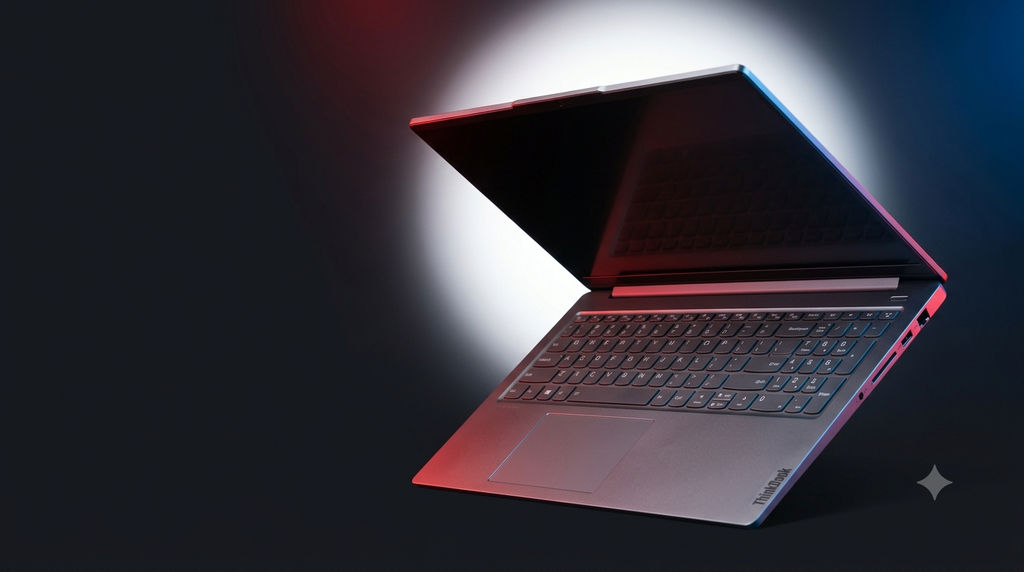
My recommendation is to prioritize 16GB of RAM or more, an SSD with enough capacity for your needs, and the best display option your budget allows. Confirm upgradeability and port availability for the precise model number before making a decision.
These checks can make the difference between buying a genuinely useful work machine and choosing a configuration that feels limited a year later.
The Verdict: Does the Lenovo ThinkBook 16 Deserve the Underrated Laptop of 2026 Title?
The most exciting laptop is not always the most useful one.
Some buyers need the thinnest possible design. Others need a dedicated GPU, an OLED display, or maximum gaming performance. There is nothing wrong with those priorities.
But many people need something more straightforward: a laptop with a large display, dependable everyday performance, practical connectivity, a comfortable workspace, and the flexibility to handle changing needs.
The Lenovo ThinkBook 16 makes a convincing argument for that kind of buyer.
Its combination of a 16-inch form factor, modern processor options, expandable memory and storage on supported configurations, and a useful selection of ports gives it a clear productivity-focused identity. It emphasizes the features that can make everyday computing easier instead of relying solely on premium branding.
It has compromises, and the right configuration matters. It is not a universal replacement for gaming laptops, premium ultrabooks, or color-accurate creative workstations.
But that does not weaken its case as an underrated laptop. It strengthens it: this is a machine worth considering for what it does well, rather than dismissing because it is not the loudest name in the room.
The Lenovo ThinkBook 16 may not be the laptop everyone is talking about, but for students, professionals, and everyday power users, it could be one of the smartest laptops to consider in 2026.
Sometimes, the best purchase is not the one with the biggest hype. It is the one that gets the most important things right.
And that is exactly why the ThinkBook 16 deserves a place in the conversation for Underrated Laptop of the Year.
Specifications and further reading
- Lenovo ThinkBook 16 Gen 9 AMD — Official Lenovo India product page
- Lenovo ThinkBook 16 Gen 9 Intel — Official Lenovo India product page
Note: ThinkBook 16 specifications vary by generation, processor, region, and individual configuration. Verify the exact model’s specifications and current price before purchasing.