Introduction
Mail Merge is a feature in Microsoft Word that allows users to create multiple personalized documents using a single template and a list of recipient information. It is commonly used to prepare letters, invitations, certificates, mailing labels, and emails. https://support.microsoft.com/en-us/word/use-mail-merge-for-bulk-email-letters-labels-and-envelopes
(a) Main Document
The main document contains the standard text, formatting, and layout that remain the same for every recipient. It may include merge fields for personalized information, such as names and addresses.
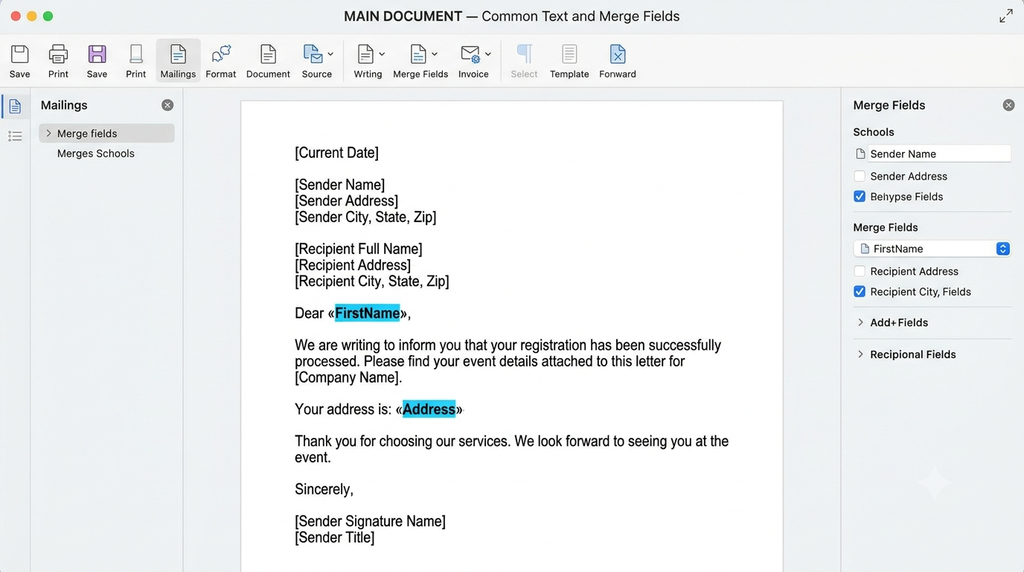
Example: A common invitation letter prepared for several people.
(b) Data Source
A data source is a file or list that contains the information used to personalize the main document. It may include recipients’ names, addresses, phone numbers, and other details. Common data sources include Excel spreadsheets and contact lists.

Example: An Excel spreadsheet containing the names and addresses of 100 recipients.
(c) Merge Document
A merge document is the personalized output created by combining the main document with the data source. Each recipient receives a version containing their own information.
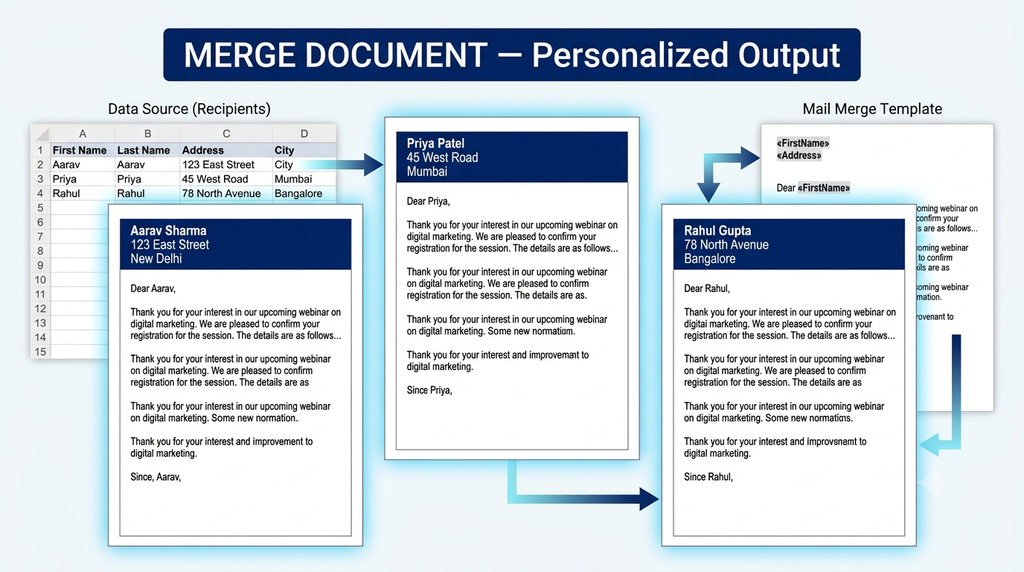
Example: A set of 100 invitation letters, each containing a different recipient’s name.
Conclusion
The main document provides the common content, the data source provides recipient information, and the merge document contains the final personalized output. Together, these components make it easy to create multiple documents efficiently.