16. Installing and Removing Software
Software installation makes an application available for use on a computer. Uninstallation removes a program from the system through the appropriate removal process.
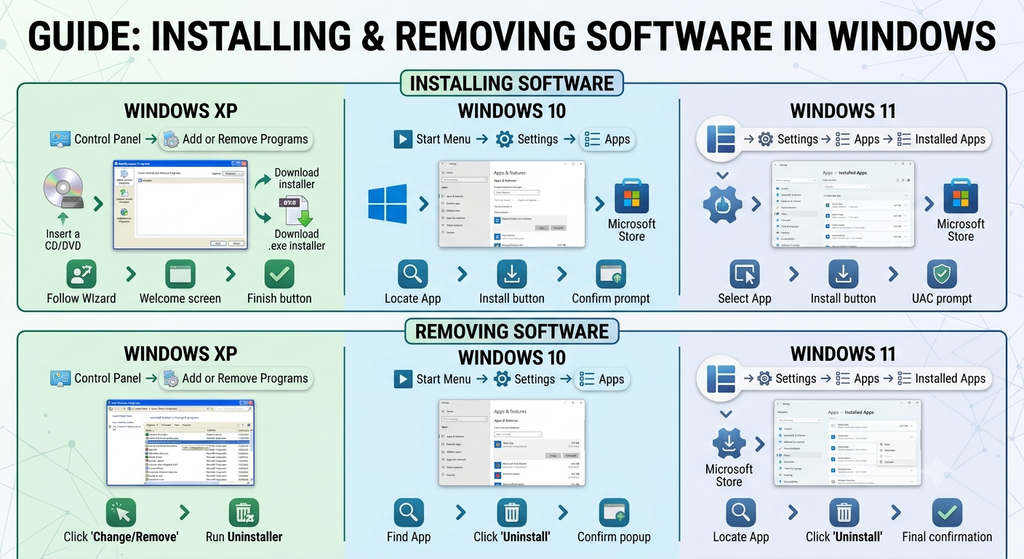
In Windows XP, the course material describes using Control Panel and the Add or Remove Programs option for many software-management tasks.
A typical older Windows XP workflow is:
- Open Start.
- Select Control Panel.
- Open Add or Remove Programs.
- Choose the appropriate installation, modification, or removal option.
- Follow the instructions displayed on the screen.
In modern Windows versions, software may be installed through Settings, application stores, or installation packages. Removal methods also vary.
Software should be installed only from trusted sources, and users should follow the instructions provided by the operating system.