

Introduction
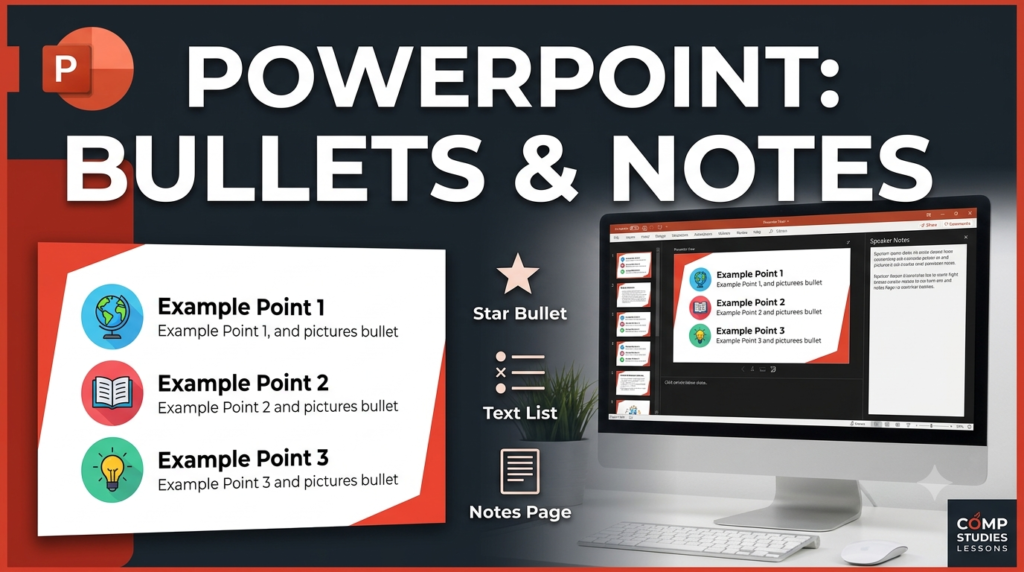
Microsoft PowerPoint provides formatting and presentation tools that help users communicate information effectively. Picture bullets make lists more visually appealing by using small images instead of standard bullet symbols, while speaker notes allow presenters to record additional information to refer to during a presentation.
1. How to Insert Picture Bullets in PowerPoint Slides
Picture bullets are small images used instead of ordinary bullet symbols to make lists more attractive and visually interesting.
Steps to Insert Picture Bullets
- Open the PowerPoint presentation and select the slide containing the list.
- Select the text or list where you want to use picture bullets.
- Click the Home tab.
- In the Paragraph group, open the Bullets menu.
- Select the picture-bullet option, if available in your PowerPoint version.
- Choose a suitable picture bullet from the available options.
- If the option is available, use Import to select a picture file from your computer.
- Confirm your selection to apply the picture bullets to the list.
Example: Using small star images as bullets for a list of important points.
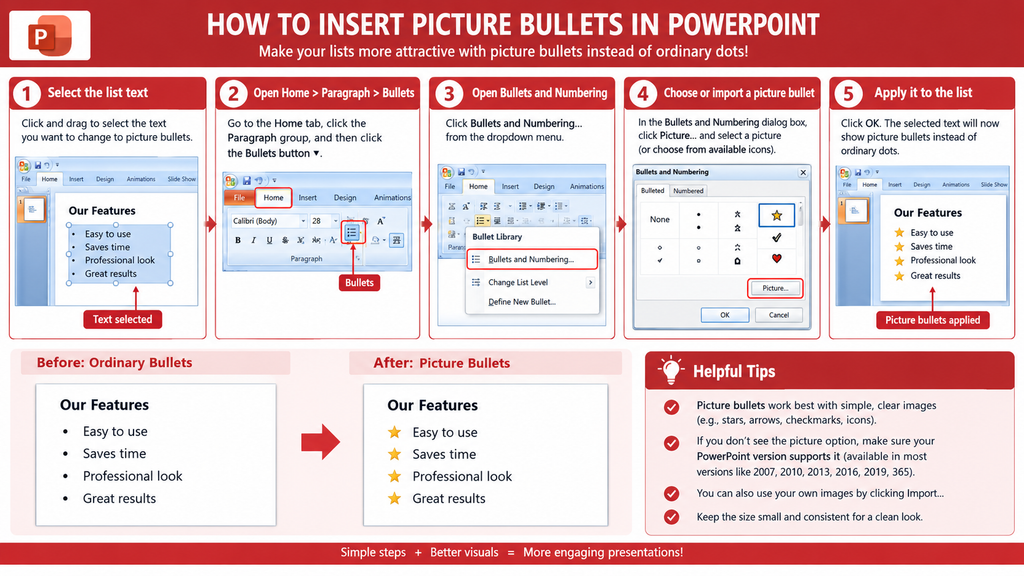
Note: In PowerPoint 2007, picture-bullet options may be accessed through the Bullets and Numbering dialog box. The exact commands vary by version.
2. How to Add Notes to PowerPoint Slides
Speaker notes are additional information written below a slide to help the presenter remember important points while delivering a presentation. They are generally not visible to the audience during a slide show.
Steps to Add Notes
- Open the PowerPoint presentation.
- Select the slide to which you want to add notes.
- Switch to Normal view if necessary.
- Locate the Notes pane below the slide. If it is hidden, click Notes on the status bar or use the View tab, depending on your PowerPoint version.
- Click the area labelled Click to add notes.
- Type the required information, explanations, or reminders.
- Save the presentation.
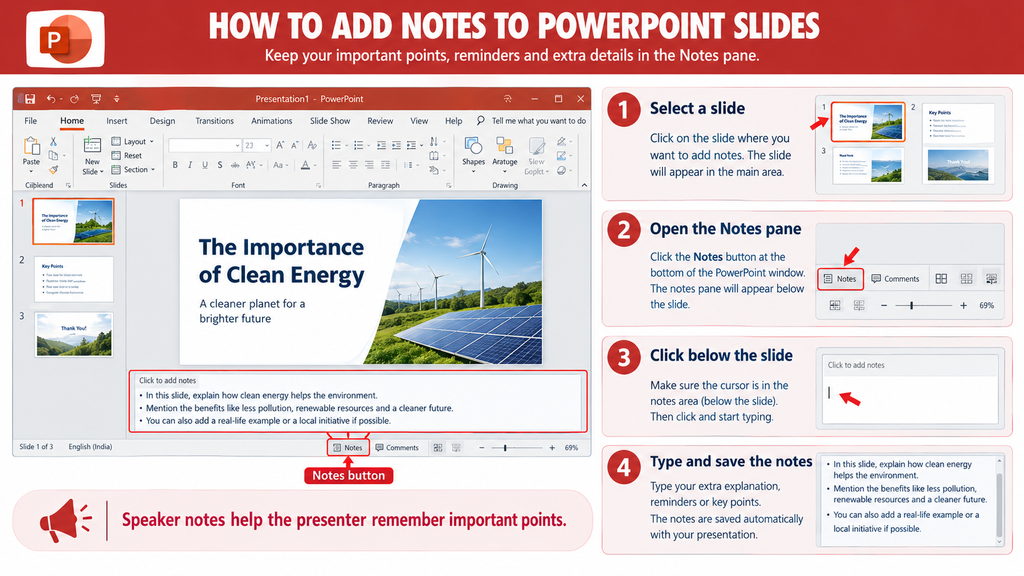
Example: Adding extra explanations or key facts to the notes section of a slide about computer hardware.
Conclusion
Picture bullets improve the visual appearance of lists, while speaker notes help presenters remember additional information during a presentation. Both features make PowerPoint presentations more organized and effective.


Nice information.